































































Περιγραφή
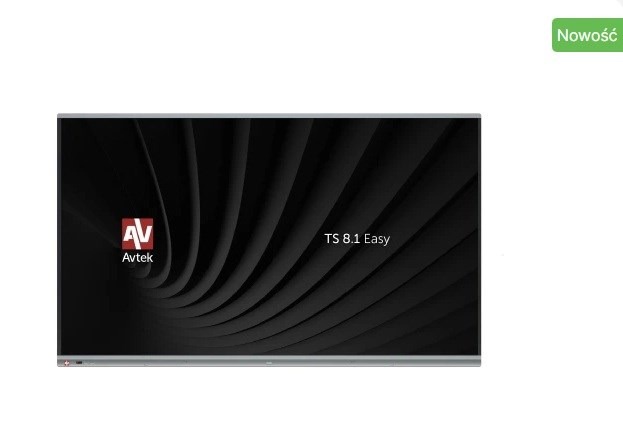
Avtek TS 8.1 Easy 65
The Avtek TS 8.1 Easy is an interactive monitor designed for use with Windows devices. Modern Microsoft operating systems include numerous touch-friendly features and accessibility options, making the monitor extremely easy and intuitive to use.
Key Features and Benefits:
- Video conferencing support: Applications like Teams or Zoom allow convenient meeting management without the need for a keyboard or mouse. Move your meeting to the large touchscreen and utilize built-in interactive whiteboard features.
- System whiteboard: Ideal for education, especially during remote learning, using apps like Teams.
- Easy collaboration: Create and share interactive notes with students or colleagues.
- Microsoft Whiteboard: Free software available for download from the Microsoft Store.
- Presentation control: Change slides or annotate directly from the interactive monitor without approaching a laptop.
- Large display for data visualization: Display charts, tables, reports, and other data on the big screen for easier interpretation and discussion.
- Built-in speakers: Two 10 W speakers provide sufficient sound without external audio equipment.
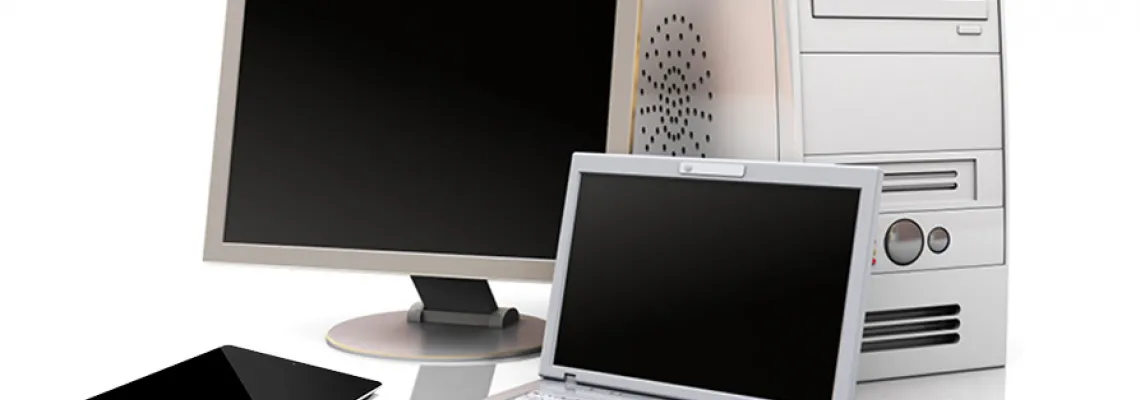
- Flexible Windows integration: Compatible with desktops, laptops, or OPS modules installed inside the monitor.
- Port placement: All connections are conveniently located on the left side of the monitor.
- Security: A version without an operating system reduces the risk of leaving sensitive data on the monitor.
- Optional Android activation: The monitor can run Android 13.0 if an additional product is purchased.
Important Note:
AVTEK TS 8.1 EASY monitors are not designed for horizontal use (interactive table mode).
The monitor does not have a built-in operating system, so a connected external computer or OPS module is required for full functionality.
Model Interactive Display Avtek TS 8.1 Easy 65
Description Avtek TS 8.1 Easy 65 The Avtek TS 8.1 Easy is an interactive monitor designed for use with Windows devices. Modern Microsoft operating systems include numerous touch-friendly features and accessibility options, making the monitor extremely easy and intuitive to use. Key Features and Benefits:
- Video conferencing support: Applications like Teams or Zoom allow convenient meeting management without the need for a keyboard or mouse. Move your meeting to the large touchscreen and utilize built-in interactive whiteboard features.
- System whiteboard: Ideal for education, especially during remote learning, using apps like Teams.
- Easy collaboration: Create and share interactive notes with students or colleagues.
- Microsoft Whiteboard: Free software available for download from the Microsoft Store.
- Presentation control: Change slides or annotate directly from the interactive monitor without approaching a laptop.
- Large display for data visualization: Display charts, tables, reports, and other data on the big screen for easier interpretation and discussion.
- Built-in speakers: Two 10 W speakers provide sufficient sound without external audio equipment.
- Flexible Windows integration: Compatible with desktops, laptops, or OPS modules installed inside the monitor.
- Port placement: All connections are conveniently located on the left side of the monitor.
- Security: A version without an operating system reduces the risk of leaving sensitive data on the monitor.
- Optional Android activation: The monitor can run Android 13.0 if an additional product is purchased.
Important Note: AVTEK TS 8.1 EASY monitors are not designed for horizontal use (interactive table mode). The monitor does not have a built-in operating system, so a connected external computer or OPS module is required for full functionality.
54
1521
428
714
893
4039
Response time 8
Brightness 4
2752
Viewing angle, horizontal 1
Viewing angle, vertical 1
1348
8292
8293
1359
10689
5206
5937
4328
22684
124
125
401
12513
Power consumption 1
Accessories included
- User manual
- Remote control
- Power cable (3 m)
- 2 × Stylus pens
- 4 × Wi-Fi antennas
- Wall-mount bracket
Optional accessory Mobile stand
1994
Height 8
Width 1
Depth 8
Weight 3
Other features
- System version: None (Android 13 available after purchase and activation key installation)
- Screen size: 65″
- Panel type: TFT
- Aspect ratio: 16:9
- Panel resolution: 4K/UHD (3840 × 2160) @ 60 Hz
- Viewing angle: 178°
- Brightness: 400 cd/m
- Contrast ratio: 4000:1
- Displayed colors: 1.07 billion
- Response time: 8 ms
- RAM: 4 GB
- ROM (internal storage): 32 GB
- Operating time: 24/7
- Panel lifespan: 50,000 hours
- Built-in speakers: 2 × 10 W
- Warranty: 3 years
- Touch technology: Infrared
- Input method: Finger or any other object
- Number of touch points: 10 (Android) / 20 (Windows)
- Video inputs: 2 × HDMI, 4 × USB (MP3/JPG), VGA (shared with one HDMI input)
- Audio inputs: 2 × 3.5 mm mini jack
- Communication ports: RS232
- Audio output: Optical
- Additional features: Bluetooth, Wi-Fi, OPS slot
- Monitor dimensions: 1485 × 888 × 88 mm
- Package dimensions: 1595 × 1035 × 205 mm
- Weight: 36.3 kg
- Weight with packaging: 46 kg
- Included accessories: User manual, USB cable, remote control, HDMI cable (3 m), power cable (3 m)
- Optional accessories: Mobile stand
Warranty 3 years warranty
25607

Αξιολογήσεις
Δεν υπάρχει καμία αξιολόγηση ακόμη.