


























































Περιγραφή
Unlimited Learning Possibilities
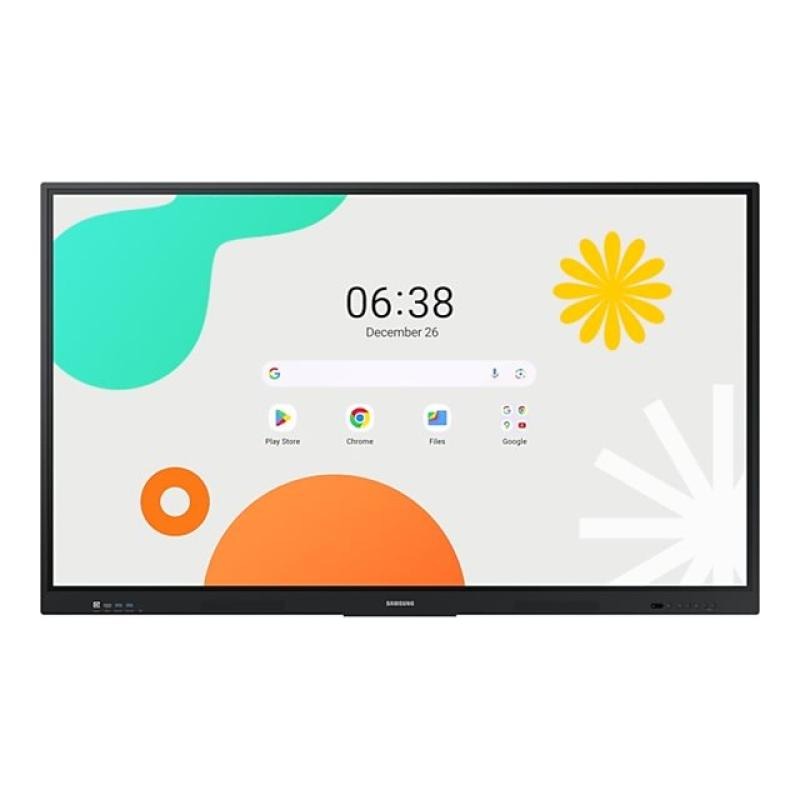
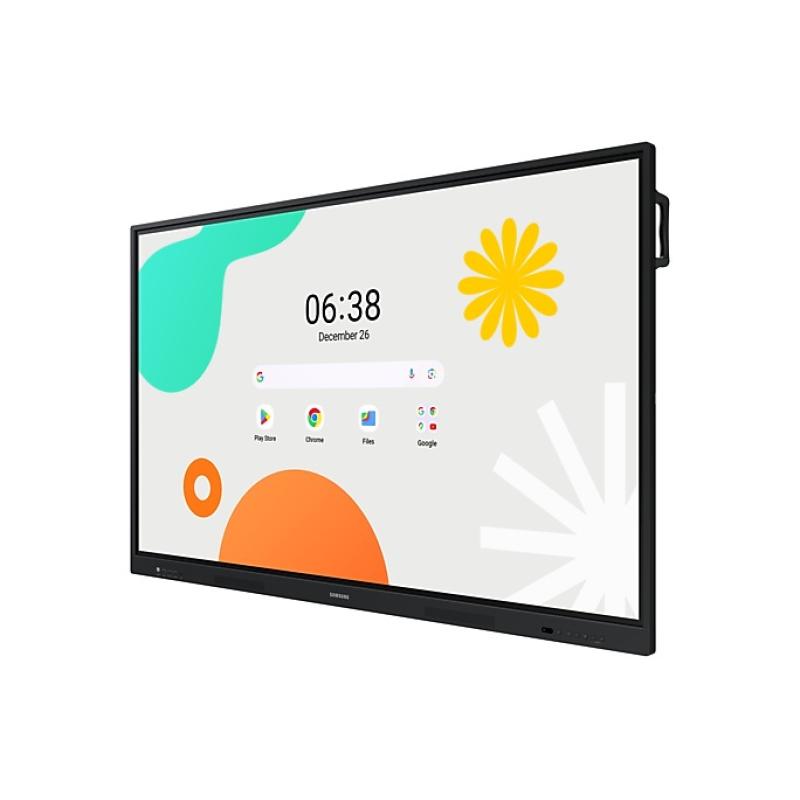
The interactive WAF series display, powered by the Android operating system, perfectly supports school learning thanks to Google services and a seamless note-taking function. The WAF display is a solution designed for the modern school, enabling instant note-taking and effective student collaboration.
Android OS
The WAF series offers users an intuitive and convenient user experience. The display is compatible with other Android devices and allows the home screen to be customized with frequently used applications. These features provide greater flexibility in building an environment that meets various learning needs.
EDLA Certification
Earning EDLA certification for the WAF series allows the use of various Google services, such as Google Play and YouTube. Access to key educational applications, including Google Classroom, leads to increased productivity and improved communication with students.
Active Note-Taking Function
The WAF series display allows users to take notes at any time using the always-visible “Annotate” button. Students can take notes without interruption, even while other content is being presented on the screen. This makes collaboration more harmonious, engaging, and less likely to be interrupted due to technical issues.
Split Notes Mode
The improved Notes app allows multiple students to use the whiteboard simultaneously. Up to four students can work in their own zones without impacting others, supporting both collaboration and individual learning.
Supports Multitasking
Content can be easily displayed in a variety of ways, including split-screen and multiple, customizable windows, to support multitasking. This functionality helps teachers conveniently organize all the information needed to create an engaging learning environment.
Efficient Content Sharing
The WAF series allows screen mirroring for up to nine devices simultaneously, increasing student engagement. This feature ensures every student is engaged and actively working, as content can be shared both on the large display and across individual devices. This mode can be supported by iOS, Mac, Windows, Android, or Chrome OS devices.
Multi-Touch
Multiple users can write on the screen simultaneously thanks to advanced multi-touch capabilities. The display recognizes up to 40 simultaneous touches, allowing large groups of students and teachers to collaborate and learn together in a fun and natural way.
Dual Pen
The dual pen feature allows you to use two different writing tools simultaneously. Both ends of the pen are active, with each end corresponding to a different color. Users simply flip the pen over without having to interrupt the lesson or adjust its settings.
Quick Access Features
The WAF display features physical controls located on the front panel, providing quick access to frequently used functions. This intuitive control allows for more efficient use of the interactive display, improving the overall user experience.
Model WA65F
Description Unlimited Learning PossibilitiesThe interactive WAF series display, powered by the Android operating system, perfectly supports school learning thanks to Google services and a seamless note-taking function. The WAF display is a solution designed for the modern school, enabling instant note-taking and effective student collaboration.Android OSThe WAF series offers users an intuitive and convenient user experience. The display is compatible with other Android devices and allows the home screen to be customized with frequently used applications. These features provide greater flexibility in building an environment that meets various learning needs.EDLA CertificationEarning EDLA certification for the WAF series allows the use of various Google services, such as Google Play and YouTube. Access to key educational applications, including Google Classroom, leads to increased productivity and improved communication with students.Active Note-Taking FunctionThe WAF series display allows users to take notes at any time using the always-visible “Annotate” button. Students can take notes without interruption, even while other content is being presented on the screen. This makes collaboration more harmonious, engaging, and less likely to be interrupted due to technical issues.Split Notes ModeThe improved Notes app allows multiple students to use the whiteboard simultaneously. Up to four students can work in their own zones without impacting others, supporting both collaboration and individual learning.Supports MultitaskingContent can be easily displayed in a variety of ways, including split-screen and multiple, customizable windows, to support multitasking. This functionality helps teachers conveniently organize all the information needed to create an engaging learning environment.Efficient Content SharingThe WAF series allows screen mirroring for up to nine devices simultaneously, increasing student engagement. This feature ensures every student is engaged and actively working, as content can be shared both on the large display and across individual devices. This mode can be supported by iOS, Mac, Windows, Android, or Chrome OS devices.Multi-TouchMultiple users can write on the screen simultaneously thanks to advanced multi-touch capabilities. The display recognizes up to 40 simultaneous touches, allowing large groups of students and teachers to collaborate and learn together in a fun and natural way.Dual PenThe dual pen feature allows you to use two different writing tools simultaneously. Both ends of the pen are active, with each end corresponding to a different color. Users simply flip the pen over without having to interrupt the lesson or adjust its settings.Quick Access FeaturesThe WAF display features physical controls located on the front panel, providing quick access to frequently used functions. This intuitive control allows for more efficient use of the interactive display, improving the overall user experience.
1521
113
428
714
893
4039
Response time 8
Brightness 4
3354
Refresh rate 6
Frequency, horizontal max. 1
Frequency, vertical max. 6
Viewing angle, horizontal 1
Viewing angle, vertical 1
11426
1359
5205
4328
5935
1734
4305
123
125
401
128
23689
18304
755
Power consumption 4
2486
1994
Height 8
Width 1
Depth 8
Weight 3
25607
26622
Αξιολογήσεις
Δεν υπάρχει καμία αξιολόγηση ακόμη.